
On-Sale
New
Atrius Development Group
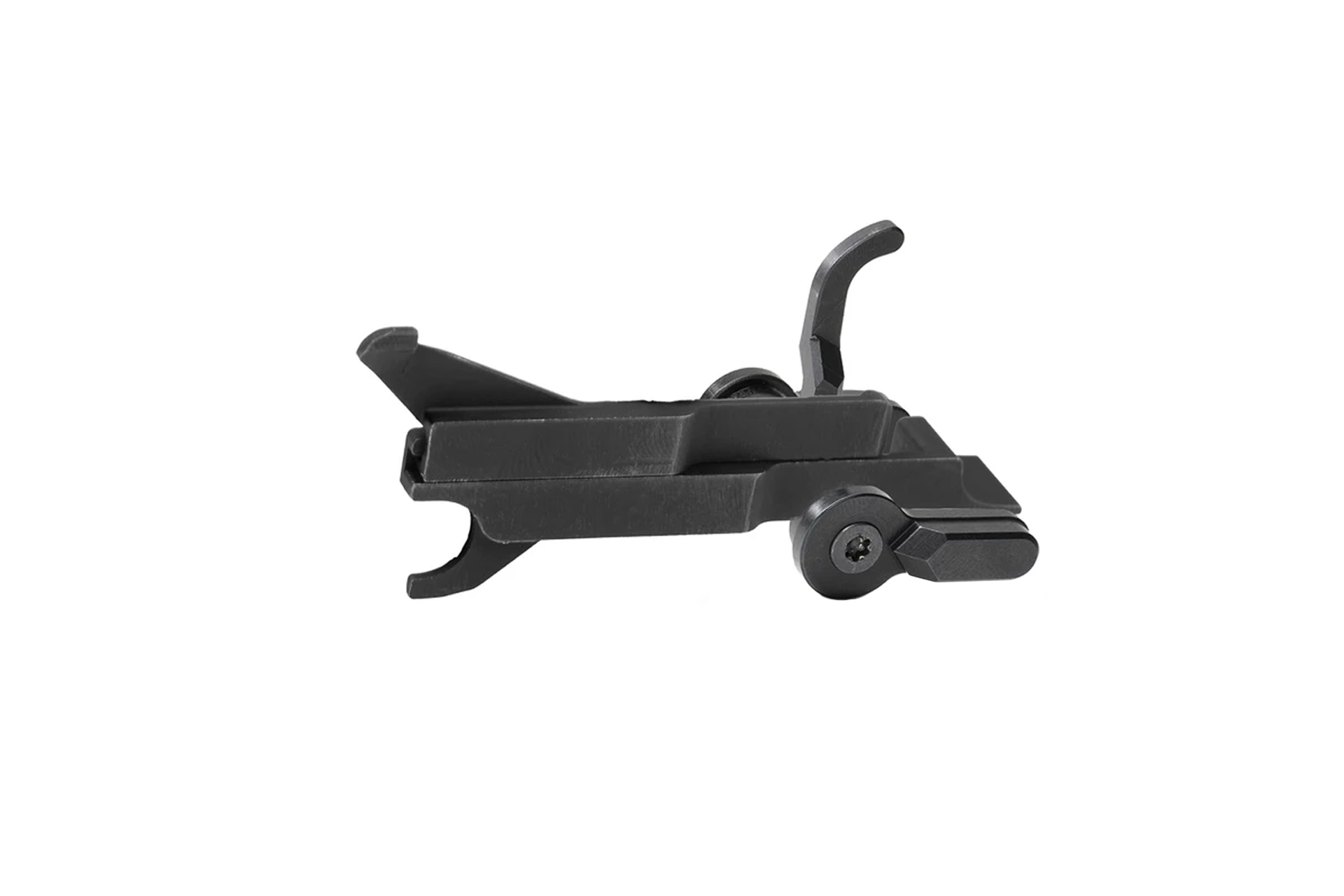
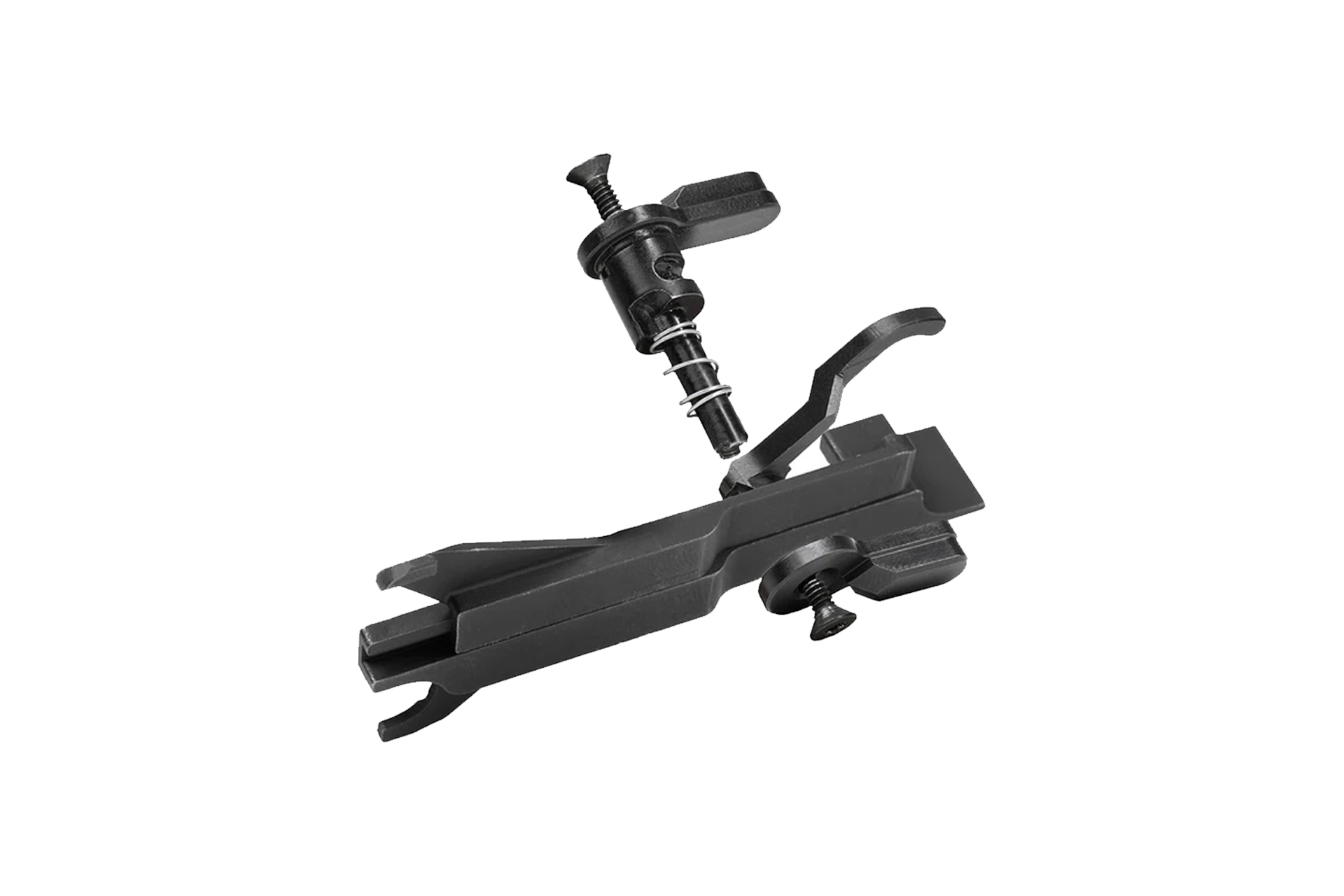
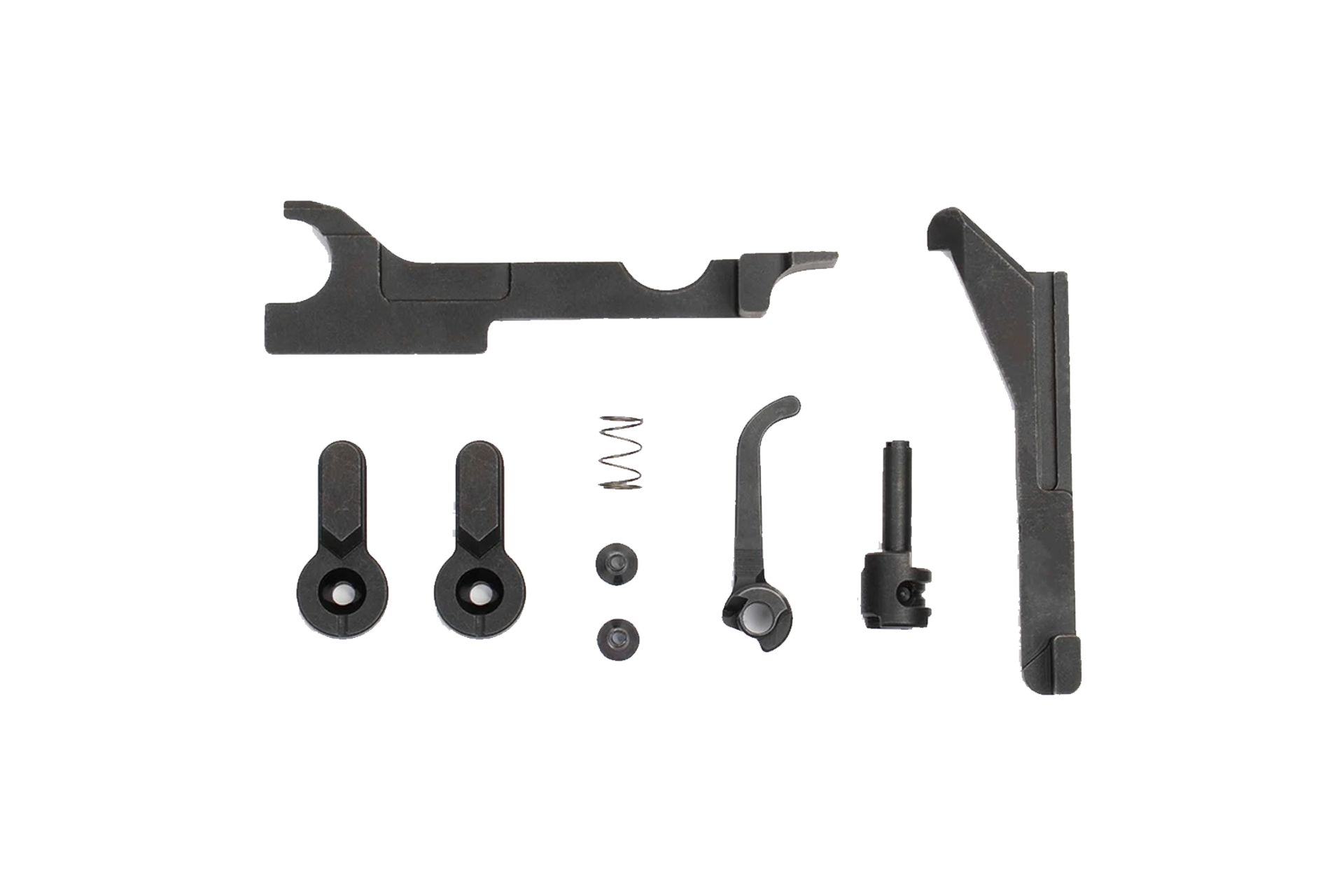
Atrius Development 3 Position SIG MCX/MPX X-Series Super Selector Safety - ADG-FRS-AMBI-X
Original price was: $319.00.$269.95Current price is: $269.95.
In stock
Atrius Development 3 Position SIG MCX/MPX X-Series Super Selector Safety
The Atrius Development Group FRS X-Series was designed to be compatible with a variety of Sig Sauer MCX®, MPX®, Rattler® platforms, and even Sig’s MCX-Spear LT Upper AR Conversion Kit.
Features
- Style: Atrius Ambi Selector Switch (original design)
- Configuration: Safe, Semi, Super-Semi
- Includes a new FRS lever with dimensions compatible with MCX/MPX product lines
- Universal design for Sig Sauer® gas piston platforms
- Installation: Drop-In Ready (No Modifications Necessary)
- Manufactured in the USA
Materials
- Corrosion-Resistant Black Nitride Finish
- Made of Heat-Treated 4140 Steel
Compatibility
- Platform Compatibility: MCX®, MCX-Spear LT®, MCX-Rattler LT®, MCX-Spear LT Upper AR Conversion Kit®, MPX PCC®, MPX-K®. Compatible with all generations (safety latch may need to be removed in early gens).
- Trigger Compatibility: Mil-Spec Triggers that come with MCX/MPX platforms. Single-stage Mil-Spec triggers that do not have a U-notch or relief cut.
Not Compatible
- Some MPX’s come with drop-in cassette-style triggers that are not compatible with the FRS.
- Geissele triggers designed for the MCX/MPX and the Atrius G-LEVER are not compatible.
- MCX: The Two Stage Match Duo AR trigger from Sig is not compatible.
- MCX: Some MCXs come with a skeletonized AR trigger from the factory. This trigger is not compatible due to the U-notch/relief cut on the rear of its trigger bar.
Installation Steps for X-Series Ambidextrous Forced Reset Selector
- Install X-Series FRS as you normally would any other safety selector.
- Install your fire control group (trigger).
- Insert the trip base on the left side of the receiver and marry it to the rear trigger pin.
- Insert the trip clutch onto the track of the trip base and push all the way forward.
- Press the trip base down so it’s under the rear takedown pin.
- Ensure the entire trip hasn’t shifted during previous steps.
- Install the upper receiver and perform a dry-fire check.
| Weight | 2 oz |
|---|---|
| Dimensions | 2 × 1 × 1 in |
| MPN | ADG-FRS-AMBI-X |


Compliance
NFA (National Firearms Act) compliance is crucial for legal ownership and transfer of regulated firearms and accessories like short-barreled rifles, suppressors, and certain types of ammunition, ensuring adherence to federal regulations to avoid legal penalties and ensure responsible firearm ownership.